Esx Persistent Flashlight | Sync and Flashlights on Weapons
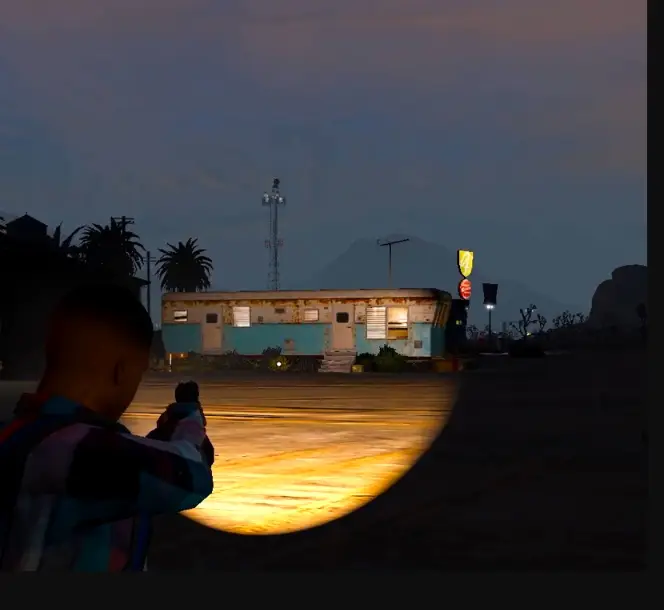
ESX Persistent Flashlight replaces the default GTA5 flashlight, using the DrawSpotlight native for synced flashlight functionality across players. The script remembers flashlight settings on weapons, even when entering or exiting vehicles, and provides various bug fixes and performance improvements
Bring immersive lighting to your GTA V RP server with the ESX Distinctive Persistent Flashlight. This feature allows players to use a realistic flashlight that persists during gameplay, perfect for exploring dark environments. Ideal for night missions or roleplay scenarios, it adds depth and realism to the overall experience
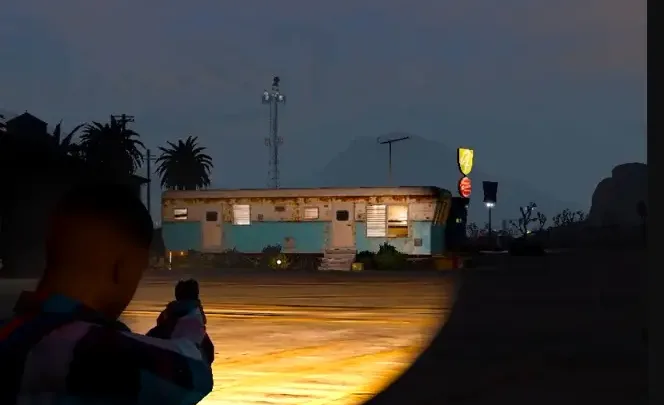
It disables the current default GTA5 flashlight and uses the Fivem Native: DrawSpotlight to create flashlights for all players who have them enabled on the gun (same hotkey: “E”).
Everything is synced with other players and the script remembers if the flashlight was on the particular gun when you get it out again, for example entering and exiting a car.
CHANGELOG V1.1.3
Fixed click sound being played while not holding any weapons and pressing E
V1.1.2
Fixed bug with script getting the wrong ped
V1.1.1
FIXED issue that the script was not working
V1.1.0
Code improvements to enhance performance
Fixed some weaponhashes
Random fixes
V1.0.0
Initial release
Need help?
If you have any other questions or issues related to this product, you can contact us. This script works well with our Esx Dispatch Script for enhanced roleplay communication
Visit if you’re looking for anything regarding this RedM script
Frequently Asked Questions
How do I install Esx Persistent Flashlight | Sync and Flashlights on Weapons on my FiveM server?
Download after purchase, extract to resources folder, add ensure esx-persistent-flashlight to server.cfg, restart server.
Is Esx Persistent Flashlight | Sync and Flashlights on Weapons compatible with QBCore and ESX?
Yes, fully compatible with QBCore, ESX, QBox, and standalone FiveM servers.
Does Esx Persistent Flashlight | Sync and Flashlights on Weapons include free updates?
Yes, all scripts include lifetime free updates and dedicated support.
{“@context”:”https://schema.org”,”@type”:”FAQPage”,”mainEntity”:[{“@type”:”Question”,”name”:”How do I install Esx Persistent Flashlight | Sync and Flashlights on Weapons on my FiveM server?”,”acceptedAnswer”:{“@type”:”Answer”,”text”:”Download after purchase, extract to your resources folder, add ‘ensure esx-persistent-flashlight’ to server.cfg, then restart your server.”}},{“@type”:”Question”,”name”:”Is Esx Persistent Flashlight | Sync and Flashlights on Weapons compatible with QBCore and ESX?”,”acceptedAnswer”:{“@type”:”Answer”,”text”:”Yes, Esx Persistent Flashlight | Sync and Flashlights on Weapons is fully compatible with QBCore, ESX, QBox, and Standalone FiveM servers.”}},{“@type”:”Question”,”name”:”Does Esx Persistent Flashlight | Sync and Flashlights on Weapons include free updates?”,”acceptedAnswer”:{“@type”:”Answer”,”text”:”Yes, all FiveM scripts from fivemscripts.shop include lifetime free updates and dedicated support.”}}]}
Reviews
There are no reviews yet.
Be the first to review “Esx Persistent Flashlight | Sync and Flashlights on Weapons” Cancel reply


 Esx Persistent Flashlight | Sy...


Reviews
There are no reviews yet.