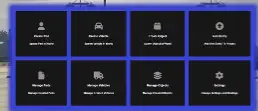
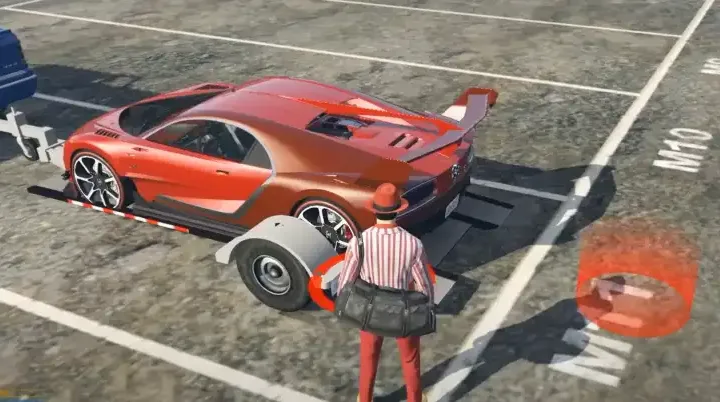
The ESX Scene Creator Script enhances GTA V RP by allowing players to create and manage interactive scenes effortlessly. Featuring an intuitive menu, players can add props, text, and objects to enrich roleplay experiences. Fully integrated with the ESX framework, it’s perfect for immersive storytelling and advanced RP server customization.
Features
- Quickly place new entities
- Quickly add new entities to your project
- Create New Static Scenes
- Create New Templates for Scenes
- Simple UI -Simple and Quick replacement for ymaps
All commands and keys
- /allowscene – allows player to create/change scenes, for people using this online
- /createscene – create scene(file) and allows user to make changes to it
- /loadscene – loads scene from file with given ID
- /createtemplate – you need to have scene loaded/created, it creates file with current scene id
- /loadtemplate – load created template with given id
- /movetemplate – move template, switch between modes using `
- /scenedeleteall – Delete all entities in current scene
Keys
- TAB – Open Menu
- M1 (Left Mouse Click) – To Focus on TAB Menu
- Q / E – Rotate Any Entity (heading)
- A / D – Rotate Object Roll
- Z / X – Rotate Object Pitch
- ` – Change Between placement Modes (raycast/offset based)
- ESC – Go Back (Exit)
- ENTER – Accept/Confirm placement/select
- Scroll (mouse wheel) – Change Speed of rotation/movement
Need help?
If you have any other questions or issues related to this product, you can contact us. This script works well with our Esx dpScenes Script for enhanced roleplay communication
Visit if you’re looking for anything regarding this RedM script
Frequently Asked Questions
- How do I install Esx Scene Creator Script | FiveM Scene Builder & Placement Tool on my FiveM server?
- Download after purchase, extract to resources folder, add ensure esx-scene-creator-script to server.cfg, restart server.
- Is Esx Scene Creator Script | FiveM Scene Builder & Placement Tool compatible with QBCore and ESX?
- Yes, fully compatible with QBCore, ESX, QBox, and standalone FiveM servers.
- Does Esx Scene Creator Script | FiveM Scene Builder & Placement Tool include free updates?
- Yes, all scripts include lifetime free updates and dedicated support.
{“@context”:”https://schema.org”,”@type”:”FAQPage”,”mainEntity”:[{“@type”:”Question”,”name”:”How do I install Esx Scene Creator Script | FiveM Scene Builder & Placement Tool on my FiveM server?”,”acceptedAnswer”:{“@type”:”Answer”,”text”:”Download after purchase, extract to your resources folder, add ‘ensure esx-scene-creator-script’ to server.cfg, then restart your server.”}},{“@type”:”Question”,”name”:”Is Esx Scene Creator Script | FiveM Scene Builder & Placement Tool compatible with QBCore and ESX?”,”acceptedAnswer”:{“@type”:”Answer”,”text”:”Yes, Esx Scene Creator Script | FiveM Scene Builder & Placement Tool is fully compatible with QBCore, ESX, QBox, and Standalone FiveM servers.”}},{“@type”:”Question”,”name”:”Does Esx Scene Creator Script | FiveM Scene Builder & Placement Tool include free updates?”,”acceptedAnswer”:{“@type”:”Answer”,”text”:”Yes, all FiveM scripts from fivemscripts.shop include lifetime free updates and dedicated support.”}}]}






Reviews
There are no reviews yet.