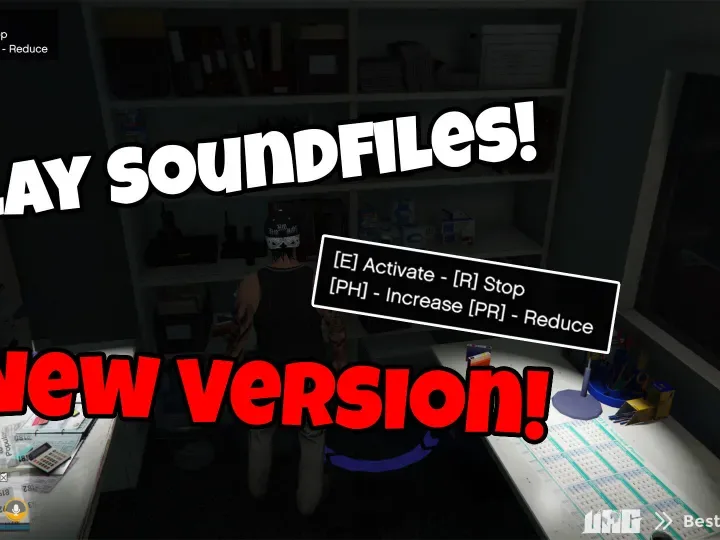
The ESX Sound Points Script allows you to set custom sound locations across your FiveM map. Perfect for creating immersive environments at events, businesses, or public areas, players will hear specific sounds when entering defined zones. Fully customizable, this script enhances realism, ambiance, and roleplay experiences on your server
With this script you can easily configure points to play music or a sound (youtube link) at the corresponding coordinates.
You can add as many points as you want. You can configure the rang and volume of the sound.
If you need a preview, let me know. Should be self explanatory.
You can also create sound zones. When a player enters the corresponding zone, the sound plays. So you don’t have to press a button for the sound to play!
Features
- You can add as many sound points as you want
- You can control the volume
- Synced to all players!
- You can define which job sees the marker and can trigger the points
- You can add as many sound zones as you need
Need help?
If you have any other questions or issues related to this product, you can contact us. This script works well with our Esx boombox Script for enhanced roleplay communication
Visit if you’re looking for anything regarding this RedM script
Frequently Asked Questions
- How do I install Esx Sound points Script | Play Sounds Automatically with Zones on my FiveM server?
- Download after purchase, extract to resources folder, add ensure esx-sound-points-script to server.cfg, restart server.
- Is Esx Sound points Script | Play Sounds Automatically with Zones compatible with QBCore and ESX?
- Yes, fully compatible with QBCore, ESX, QBox, and standalone FiveM servers.
- Does Esx Sound points Script | Play Sounds Automatically with Zones include free updates?
- Yes, all scripts include lifetime free updates and dedicated support.
{“@context”:”https://schema.org”,”@type”:”FAQPage”,”mainEntity”:[{“@type”:”Question”,”name”:”How do I install Esx Sound points Script | Play Sounds Automatically with Zones on my FiveM server?”,”acceptedAnswer”:{“@type”:”Answer”,”text”:”Download after purchase, extract to your resources folder, add ‘ensure esx-sound-points-script’ to server.cfg, then restart your server.”}},{“@type”:”Question”,”name”:”Is Esx Sound points Script | Play Sounds Automatically with Zones compatible with QBCore and ESX?”,”acceptedAnswer”:{“@type”:”Answer”,”text”:”Yes, Esx Sound points Script | Play Sounds Automatically with Zones is fully compatible with QBCore, ESX, QBox, and Standalone FiveM servers.”}},{“@type”:”Question”,”name”:”Does Esx Sound points Script | Play Sounds Automatically with Zones include free updates?”,”acceptedAnswer”:{“@type”:”Answer”,”text”:”Yes, all FiveM scripts from fivemscripts.shop include lifetime free updates and dedicated support.”}}]}




 Esx Sound points Script | Play...


Reviews
There are no reviews yet.