Esx Advaced CAD system | Police Incident & Warrant Management
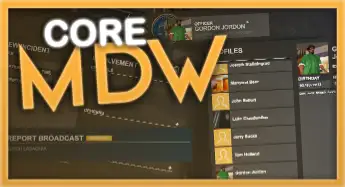
The ESX Advanced CAD System is a feature-rich law enforcement tool for FiveM, allowing officers to manage incidents, warrants, evidence, and suspect profiles. With dashboards, real-time status, permissions, and multi-department support, it streamlines police operations with deep roleplay functionality and server-wide alerts.
The Esx Advaced CAD system is a fully integrated dispatch and law enforcement interface for FiveM servers. It features real-time call management, officer status updates, BOLOs, citations, arrest reports, and a searchable civilian database. Designed for realism and roleplay, this CAD system enhances police RP scenarios efficiently and securely.
Features
Create incidents with charges to each criminal
Rich text editor
Issue warrants
Add spectators, officers, evidence to the incident
Create reports for wanted people or vehicles
Reports can use broadcasting to get help from whole server
Create evidence with pictures and use core_evidence with it
Search for anything mentioned in incident or profile and find it
Dashboard with expiering warrants and recent reports
Announcement board
Badges for officers
Permissions for every officer
Multiple departaments
Exclude jobs from list (for example mafia job)
Vehicle Information
Profile status (is online, is in jail, active warrant)
Logs
Need help?
If you have any other questions or issues related to this product, you can contact us. This script works well with our Esx Police MDT Script for enhanced roleplay communication
Visit if you’re looking for anything regarding this RedM script
Frequently Asked Questions
How do I install Esx Advaced CAD system | Police Incident & Warrant Management on my FiveM server?
Download after purchase, extract to resources folder, add ensure esx-advaced-cad-system to server.cfg, restart server.
Is Esx Advaced CAD system | Police Incident & Warrant Management compatible with QBCore and ESX?
Yes, fully compatible with QBCore, ESX, QBox, and standalone FiveM servers.
Does Esx Advaced CAD system | Police Incident & Warrant Management include free updates?
Yes, all scripts include lifetime free updates and dedicated support.
{“@context”:”https://schema.org”,”@type”:”FAQPage”,”mainEntity”:[{“@type”:”Question”,”name”:”How do I install Esx Advaced CAD system | Police Incident & Warrant Management on my FiveM server?”,”acceptedAnswer”:{“@type”:”Answer”,”text”:”Download after purchase, extract to your resources folder, add ‘ensure esx-advaced-cad-system’ to server.cfg, then restart your server.”}},{“@type”:”Question”,”name”:”Is Esx Advaced CAD system | Police Incident & Warrant Management compatible with QBCore and ESX?”,”acceptedAnswer”:{“@type”:”Answer”,”text”:”Yes, Esx Advaced CAD system | Police Incident & Warrant Management is fully compatible with QBCore, ESX, QBox, and Standalone FiveM servers.”}},{“@type”:”Question”,”name”:”Does Esx Advaced CAD system | Police Incident & Warrant Management include free updates?”,”acceptedAnswer”:{“@type”:”Answer”,”text”:”Yes, all FiveM scripts from fivemscripts.shop include lifetime free updates and dedicated support.”}}]}
Reviews
There are no reviews yet.
Be the first to review “Esx Advaced CAD system | Police Incident & Warrant Management” Cancel reply



 Esx Advaced CAD system | Polic...


Reviews
There are no reviews yet.