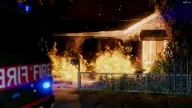
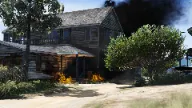
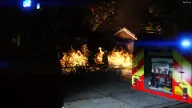
The ESX Fire Scripts provide immersive fire and smoke simulation commands for roleplay servers. Admins can start and stop fires or smoke effects using configurable commands like /startfire, /stopfire, and /startsmoke, enhancing emergency response scenarios and realism
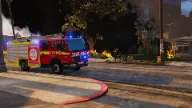
The Esx Fire Scripts delivers an immersive firefighting experience to your RP server. Players can respond to dynamic fire events using working fire trucks, hoses, and extinguishing mechanics. Enhance your emergency response roleplay with detailed visuals, fire spread logic, and integration with EMS and dispatch systems for realism.
Commands
/startfire NUMFLAMES RADIUS. NUMFLAMES determines the maximum number of flames the fire will have (maximum 100), while RADIUS specifies the radius of the fire in metres (maximum 30). /startfire 40 10 is a good starting point.
/stopfire. This stops all fires within a 35 metre radius (you can also extinguish fires normally).
/stopallfires. This stops all fires on the map.
/startsmoke SCALE. You’re also able to create ‘smoke without fire’ e.g. for a call where someone gets concerned for fire over barbecue smoke. SCALE is replaced by a number (recommended to keep it between 0.5-5) that indicates the magnitude of the smoke. E.g. /startsmoke 1
/stopsmoke. Stops all smoke without fire within a 35 metre radius.
/stopallsmoke. Stops all smoke without fire on the map.
Need help?
If you have any other questions or issues related to this product, you can contact us. This script works well with our ESX Stub Test System for enhanced roleplay communication
Visit if you’re looking for anything regarding this RedM script
Frequently Asked Questions
How do I install Esx Fire Scripts | Fire & Smoke Command System on my FiveM server?
Download after purchase, extract to resources folder, add ensure esx-fire-scripts to server.cfg, restart server.
Is Esx Fire Scripts | Fire & Smoke Command System compatible with QBCore and ESX?
Yes, fully compatible with QBCore, ESX, QBox, and standalone FiveM servers.
Does Esx Fire Scripts | Fire & Smoke Command System include free updates?
Yes, all scripts include lifetime free updates and dedicated support.
{“@context”:”https://schema.org”,”@type”:”FAQPage”,”mainEntity”:[{“@type”:”Question”,”name”:”How do I install Esx Fire Scripts | Fire & Smoke Command System on my FiveM server?”,”acceptedAnswer”:{“@type”:”Answer”,”text”:”Download after purchase, extract to your resources folder, add ‘ensure esx-fire-scripts’ to server.cfg, then restart your server.”}},{“@type”:”Question”,”name”:”Is Esx Fire Scripts | Fire & Smoke Command System compatible with QBCore and ESX?”,”acceptedAnswer”:{“@type”:”Answer”,”text”:”Yes, Esx Fire Scripts | Fire & Smoke Command System is fully compatible with QBCore, ESX, QBox, and Standalone FiveM servers.”}},{“@type”:”Question”,”name”:”Does Esx Fire Scripts | Fire & Smoke Command System include free updates?”,”acceptedAnswer”:{“@type”:”Answer”,”text”:”Yes, all FiveM scripts from fivemscripts.shop include lifetime free updates and dedicated support.”}}]}
Reviews
There are no reviews yet.
Be the first to review “Esx Fire Scripts | Fire & Smoke Command System” Cancel reply


Reviews
There are no reviews yet.