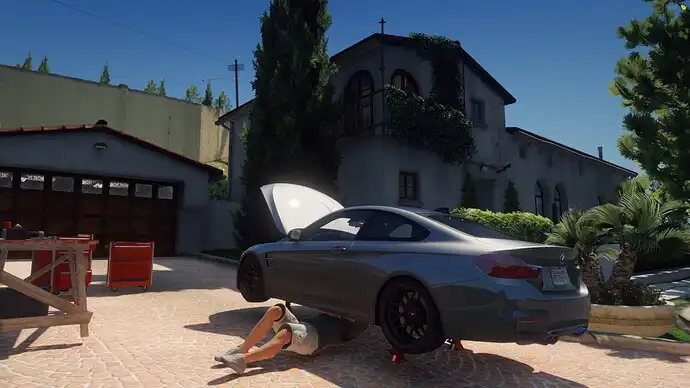
The ESX Garage Script is a clean and reliable vehicle storage system for FiveM RP servers. Players can store, retrieve, and manage their owned vehicles with ease. It supports impound, custom garages, and integrates smoothly with most ESX-based vehicle ownership systems. Fully configurable and RP-friendly with a smooth UI.
Features
- Work with radial menu from ox_lib or ox_target
- Share vehicles with colleagues, including a list to manage shared access to the vehicle.
- Garage for independent work.
- Generate a key when removing the vehicle from the garage and delete it when returning to the garage.
- 4 types of garages: “all”,”air”,”car”, and “boat”.
- Vehicle impound system and recovery points.
- Vehicle mileage is stored in the database and can be viewed in the garage.
- Garage.RadialCopyCoords: Radial menu to copy coordinates and easily create garages. (Only use this on your development server!)
- Command to add a vehicle to the database as the owner.
- Allows vehicles that are outside the garage and the entity is not present in the world to be sent directly to the impound.
- (New) Compatible with the Quasar inventory…
- (New) Garages for jobs with configurable vehicles by ranks.
- (New) Now you can use PolyZone only for garages, not impounds.
- (New) One name for the blips. Config/config_garage.lua – Garage.BlipsName
- (New) TextUI added, you can customize it in client/functions.lua. (default ox_textui)
- (New) 2 Commands to test the EXPORTS and see how it works in client/Default.lua (Default disabled)
- (New) Command /spawncar [ID] [MODEL] [TIME (1 = 1 min)] generates a vehicle with a time of use. ( /spawncar 1 sultan 10 )
- (New) Sell or Transfer the ownership of a vehicle to another player + WebHook to record transfers in server/functions_s.lua .
- (New) Compatible with ox_fuel / LegacyFuel / esx-sna-fuel
- (New) ProgressBar when closing/opening vehicles Config/config_carkeys.lua – Keys.Progress
- (New) Delay between closing/opening vehicles to avoid massive spawns of notifications or progress bar.
- (New) Now you can add a price for transferring vehicles between garages, each garage has its price, if no price is assigned in the configuration of a garage, the transfer between garages will be free. (All current garages of type = ‘car’ have a price of $20).
- (New) EXTRAS Menu with custom job vehicles, (Target)
Need help?
If you have any other questions or issues related to this product, you can contact us. This script works well with our Esx Premium Garage Script for enhanced roleplay communication
Visit if you’re looking for anything regarding this RedM script
Frequently Asked Questions
- How do I install Esx garage Script – Advanced Vehicle Management System FiveM on my FiveM server?
- Download after purchase, extract to resources folder, add ensure esx-garage-script-v1 to server.cfg, restart server.
- Is Esx garage Script – Advanced Vehicle Management System FiveM compatible with QBCore and ESX?
- Yes, fully compatible with QBCore, ESX, QBox, and standalone FiveM servers.
- Does Esx garage Script – Advanced Vehicle Management System FiveM include free updates?
- Yes, all scripts include lifetime free updates and dedicated support.
{“@context”:”https://schema.org”,”@type”:”FAQPage”,”mainEntity”:[{“@type”:”Question”,”name”:”How do I install Esx garage Script – Advanced Vehicle Management System FiveM on my FiveM server?”,”acceptedAnswer”:{“@type”:”Answer”,”text”:”Download after purchase, extract to your resources folder, add ‘ensure esx-garage-script-v1’ to server.cfg, then restart your server.”}},{“@type”:”Question”,”name”:”Is Esx garage Script – Advanced Vehicle Management System FiveM compatible with QBCore and ESX?”,”acceptedAnswer”:{“@type”:”Answer”,”text”:”Yes, Esx garage Script – Advanced Vehicle Management System FiveM is fully compatible with QBCore, ESX, QBox, and Standalone FiveM servers.”}},{“@type”:”Question”,”name”:”Does Esx garage Script – Advanced Vehicle Management System FiveM include free updates?”,”acceptedAnswer”:{“@type”:”Answer”,”text”:”Yes, all FiveM scripts from fivemscripts.shop include lifetime free updates and dedicated support.”}}]}




 Esx garage Script – Advanced V...

Reviews
There are no reviews yet.