Esx Multichar Cutscene Script | Welcome Cutscenes for FiveM
The ESX Multichar Cutscene Script enhances the player experience by providing a smooth and personalized welcome cutscene, supporting both QBCore and ESX. It features gender-specific cutscenes, the option to disable the Lamar part, and a polished introduction for new users.
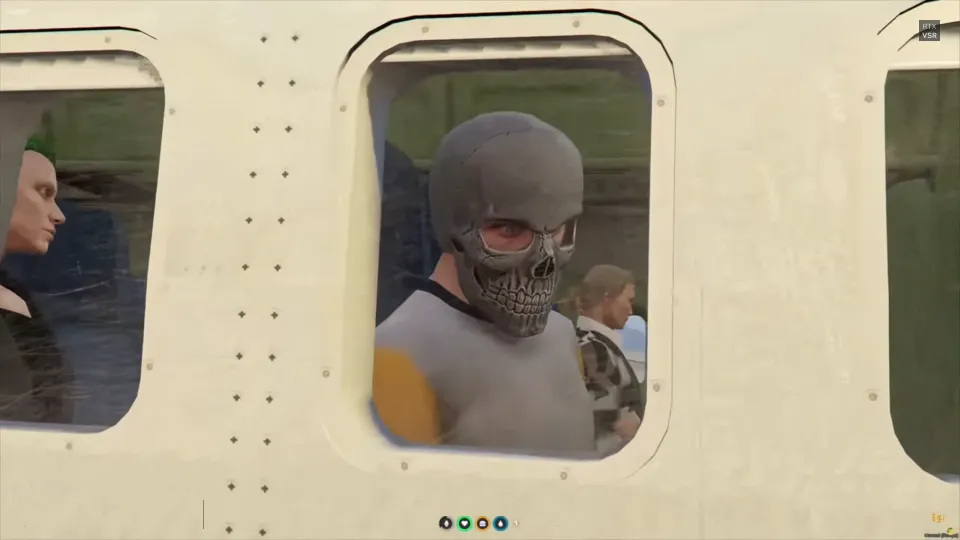
The ESX Multichar Cutscene Script enhances the character selection experience with a cinematic airplane intro. Perfect for servers with multi-character systems, this script immerses players right from the start. Seamlessly integrates with ESX Multichar, adding polish, story-driven feel, and a high-quality roleplay atmosphere to your GTA V RP server.
Features:
Support all QBCore and ESX versions: Enjoy seamless integration with your existing server setup, whether it runs on QBCore or ESX, making the installation process a breeze.
Smooth Welcome: Ensure a smooth and polished welcome experience for all players, setting the right tone for their journey on your server.
Better Welcome for New Users: Delight new users with an improved and engaging welcome cutscene, creating a lasting first impression that encourages them to stay and explore.
Different Cutscene for Male and Female Characters: Add a touch of personalization to the experience by offering unique cutscenes based on the player’s character gender, enhancing immersion.
Option to Disable Lamar Cutscene Part: For those who prefer a different approach, the script provides the flexibility to disable the Lamar cutscene part, allowing you to tailor the welcome to your server’s theme.
Need help?
If you have any other questions or issues related to this product, you can contact us. This script works well with our Esx Character Selection System for enhanced roleplay communication
Visit if you’re looking for anything regarding this RedM script
Frequently Asked Questions
How do I install Esx Multichar Cutscene Script | Welcome Cutscenes for FiveM on my FiveM server?
Download after purchase, extract to resources folder, add ensure esx-multichar-cutscene-script to server.cfg, restart server.
Is Esx Multichar Cutscene Script | Welcome Cutscenes for FiveM compatible with QBCore and ESX?
Yes, fully compatible with QBCore, ESX, QBox, and standalone FiveM servers.
Does Esx Multichar Cutscene Script | Welcome Cutscenes for FiveM include free updates?
Yes, all scripts include lifetime free updates and dedicated support.
{“@context”:”https://schema.org”,”@type”:”FAQPage”,”mainEntity”:[{“@type”:”Question”,”name”:”How do I install Esx Multichar Cutscene Script | Welcome Cutscenes for FiveM on my FiveM server?”,”acceptedAnswer”:{“@type”:”Answer”,”text”:”Download after purchase, extract to your resources folder, add ‘ensure esx-multichar-cutscene-script’ to server.cfg, then restart your server.”}},{“@type”:”Question”,”name”:”Is Esx Multichar Cutscene Script | Welcome Cutscenes for FiveM compatible with QBCore and ESX?”,”acceptedAnswer”:{“@type”:”Answer”,”text”:”Yes, Esx Multichar Cutscene Script | Welcome Cutscenes for FiveM is fully compatible with QBCore, ESX, QBox, and Standalone FiveM servers.”}},{“@type”:”Question”,”name”:”Does Esx Multichar Cutscene Script | Welcome Cutscenes for FiveM include free updates?”,”acceptedAnswer”:{“@type”:”Answer”,”text”:”Yes, all FiveM scripts from fivemscripts.shop include lifetime free updates and dedicated support.”}}]}
Reviews
There are no reviews yet.
Be the first to review “Esx Multichar Cutscene Script | Welcome Cutscenes for FiveM” Cancel reply


 Esx Multichar Cutscene Script ...

Reviews
There are no reviews yet.