Esx Name Change Scripts | FiveM Player Name Update
The ESX Name Change Script allows players to change their first and last names for a cost, with updates automatically reflected in the database. Admins can change names using commands and manage finances. The script includes Discord notifications, customizable settings, and marked zones for name changes.
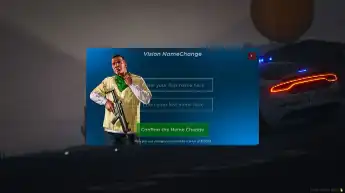
The Esx Name Change Scripts offers players the ability to change their in-game names with a simple and customizable interface. This script is perfect for players looking to update their identity or rebrand in the game. It provides an easy process, allowing players to continue enjoying their gameplay with a new name.
Name Change for Players
Players can update their first and last names, as long as they have enough in-game currency. Once the name is successfully changed, it’s automatically updated in the database, and the player receives a confirmation message.
Admin Tools
Admins can change player names directly using the /changename [PlayerID] command. They can review the player’s finances and, if necessary, credit the missing funds to meet the cost of the name change.
Discord Notifications
The script includes an integrated notification feature that sends detailed updates on every name change, displaying the old and new names along with the responsible admins, ensuring full transparency.
Markers & Blips
Special name-change zones are marked on the map using custom markers and blips. Players can visit these areas to initiate the name change. The menu is displayed in a user-friendly and intuitive manner.
Configurable & Secure
All key settings, such as the cost of name changes, permissions, and debug options, can be easily customized, allowing you to adapt the script to your server’s needs.
Need help?
If you have any other questions or issues related to this product, you can contact us. This script works well with our ESX Identity Script for enhanced roleplay communication
Visit if you’re looking for anything regarding this RedM script
Frequently Asked Questions
How do I install Esx Name Change Scripts | FiveM Player Name Update on my FiveM server?
Download after purchase, extract to resources folder, add ensure esx-name-change-scripts to server.cfg, restart server.
Is Esx Name Change Scripts | FiveM Player Name Update compatible with QBCore and ESX?
Yes, fully compatible with QBCore, ESX, QBox, and standalone FiveM servers.
Does Esx Name Change Scripts | FiveM Player Name Update include free updates?
Yes, all scripts include lifetime free updates and dedicated support.
{“@context”:”https://schema.org”,”@type”:”FAQPage”,”mainEntity”:[{“@type”:”Question”,”name”:”How do I install Esx Name Change Scripts | FiveM Player Name Update on my FiveM server?”,”acceptedAnswer”:{“@type”:”Answer”,”text”:”Download after purchase, extract to your resources folder, add ‘ensure esx-name-change-scripts’ to server.cfg, then restart your server.”}},{“@type”:”Question”,”name”:”Is Esx Name Change Scripts | FiveM Player Name Update compatible with QBCore and ESX?”,”acceptedAnswer”:{“@type”:”Answer”,”text”:”Yes, Esx Name Change Scripts | FiveM Player Name Update is fully compatible with QBCore, ESX, QBox, and Standalone FiveM servers.”}},{“@type”:”Question”,”name”:”Does Esx Name Change Scripts | FiveM Player Name Update include free updates?”,”acceptedAnswer”:{“@type”:”Answer”,”text”:”Yes, all FiveM scripts from fivemscripts.shop include lifetime free updates and dedicated support.”}}]}
Reviews
There are no reviews yet.
Be the first to review “Esx Name Change Scripts | FiveM Player Name Update” Cancel reply



 Esx Name Change Scripts | Five...





Reviews
There are no reviews yet.