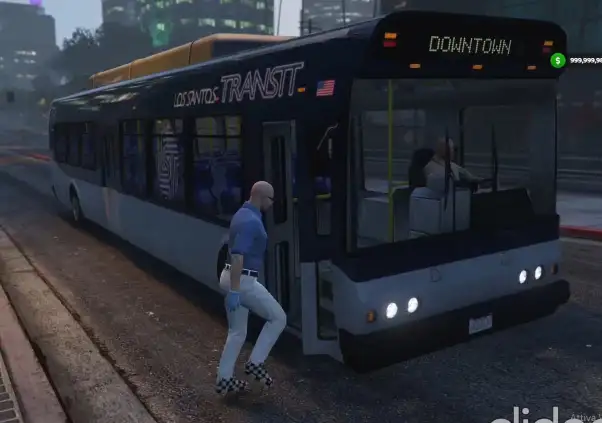
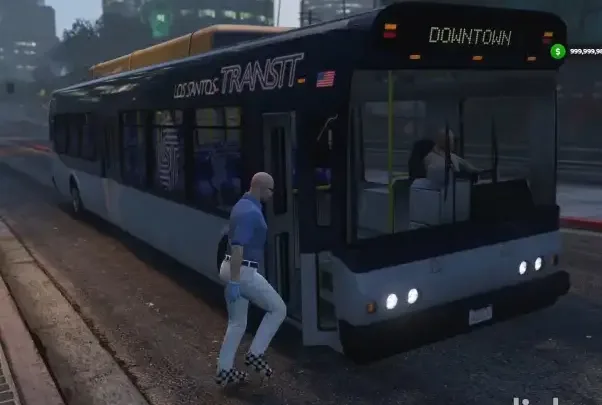
The ESX Public Transport AI Script introduces a fully automated bus transit system to your FiveM server. Players can board AI-controlled buses that follow scheduled routes around the city. Perfect for immersive civilian life, this script enhances public roleplay, reduces reliance on personal vehicles, and improves server realism and economy.
What’s this
- This resource will make public transport aviable managed by the game AI.
Add custom routes
- Open config.lua and create a new route like in the example.
IMPORTANT NOTES:
- always add the route at the end of the Config.Routes table
- when adding a new stop in the busStops array, avoid to get the position in the middle of a crossroad
- Once you’ve done it, restart the resource and use the command
/bake routeId, where routeId is the position of the route in the Config.Routes table.
- As soon as the bake is done (check client console for errors), you will see on the map some blips indicating the route just calculated (for few seconds) and a file will be saved in /bake_data/baked_routes/.
- Do a
/refresh since there are a new files, and /restart publictransprot.
- You are done. Everything should start working fine.
Need help?
If you have any other questions or issues related to this product, you can contact us. This script works well with our Esx Bus System for enhanced roleplay communication
Visit if you’re looking for anything regarding this RedM script
Frequently Asked Questions
- How do I install ESX Public Transport AI Script | AI-Managed Bus Routes on my FiveM server?
- Download after purchase, extract to resources folder, add ensure esx-public-transport-ai-2-0 to server.cfg, restart server.
- Is ESX Public Transport AI Script | AI-Managed Bus Routes compatible with QBCore and ESX?
- Yes, fully compatible with QBCore, ESX, QBox, and standalone FiveM servers.
- Does ESX Public Transport AI Script | AI-Managed Bus Routes include free updates?
- Yes, all scripts include lifetime free updates and dedicated support.
{“@context”:”https://schema.org”,”@type”:”FAQPage”,”mainEntity”:[{“@type”:”Question”,”name”:”How do I install ESX Public Transport AI Script | AI-Managed Bus Routes on my FiveM server?”,”acceptedAnswer”:{“@type”:”Answer”,”text”:”Download after purchase, extract to your resources folder, add ‘ensure esx-public-transport-ai-2-0’ to server.cfg, then restart your server.”}},{“@type”:”Question”,”name”:”Is ESX Public Transport AI Script | AI-Managed Bus Routes compatible with QBCore and ESX?”,”acceptedAnswer”:{“@type”:”Answer”,”text”:”Yes, ESX Public Transport AI Script | AI-Managed Bus Routes is fully compatible with QBCore, ESX, QBox, and Standalone FiveM servers.”}},{“@type”:”Question”,”name”:”Does ESX Public Transport AI Script | AI-Managed Bus Routes include free updates?”,”acceptedAnswer”:{“@type”:”Answer”,”text”:”Yes, all FiveM scripts from fivemscripts.shop include lifetime free updates and dedicated support.”}}]}



 ESX Public Transport AI Script...



Reviews
There are no reviews yet.