Qb Radials Menu – Qbcore Custom Radial Menu System
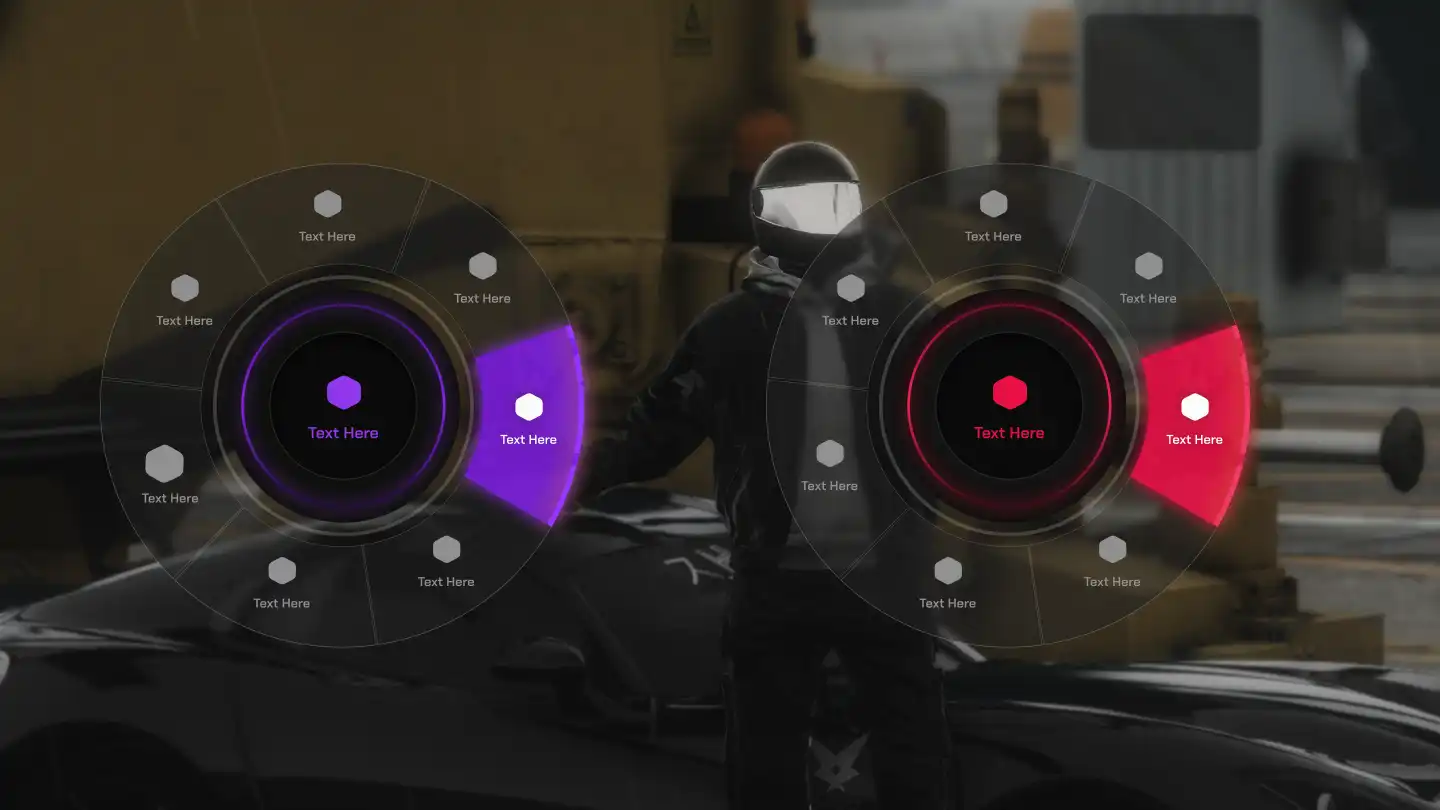
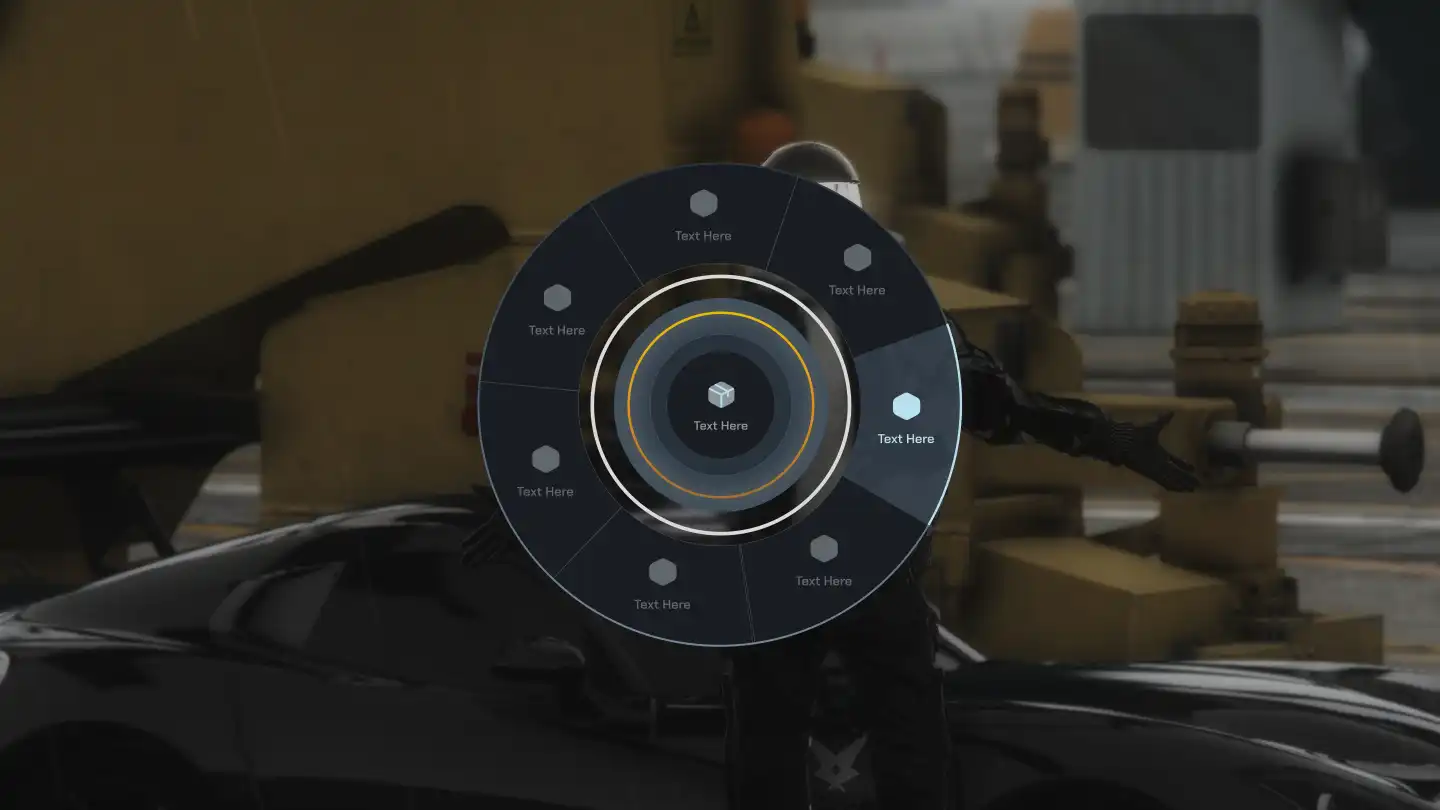
The Qb Radials Menu introduces a fully customizable radial menu system with two unique styles, color and font customization, and persistent player-specific settings. It enhances user interaction with an intuitive configuration menu and SQL-based data storage, ensuring a seamless and immersive experience
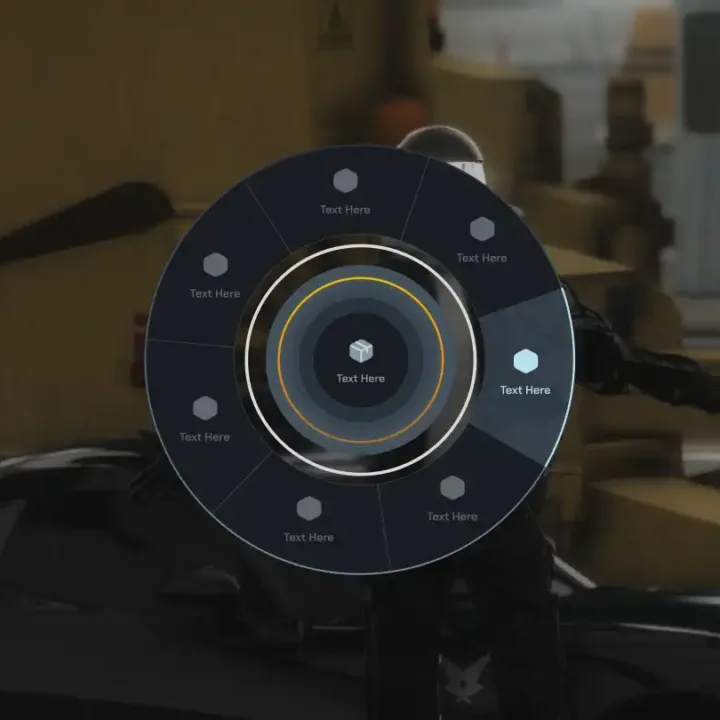
The Qb Radials Menu is a sleek and user-friendly selection wheel designed for FiveM servers, allowing players to access various in-game options with ease. Featuring a modern UI with radial navigation, this menu enhances roleplay interactions, quick commands, and customization, making gameplay more immersive and efficient.
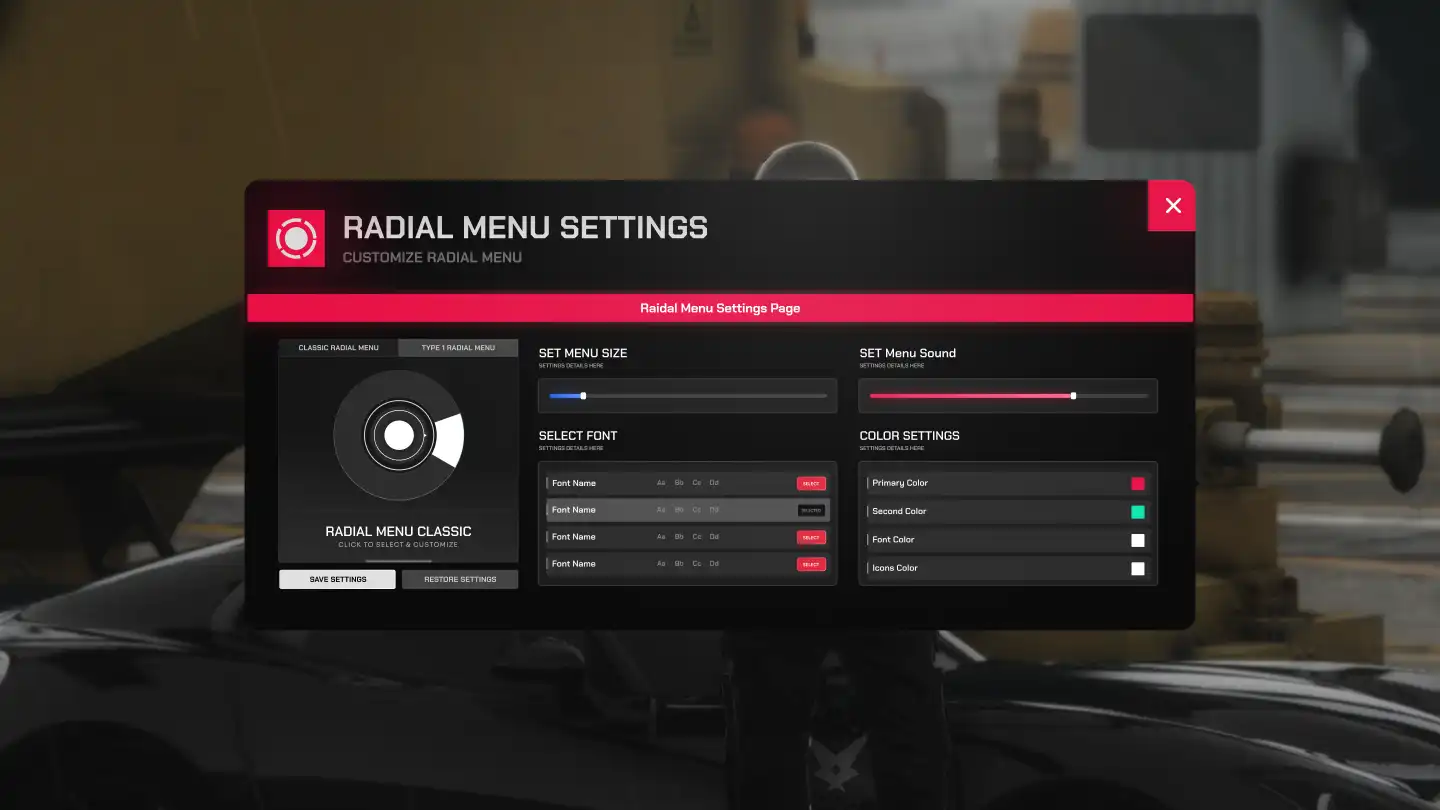
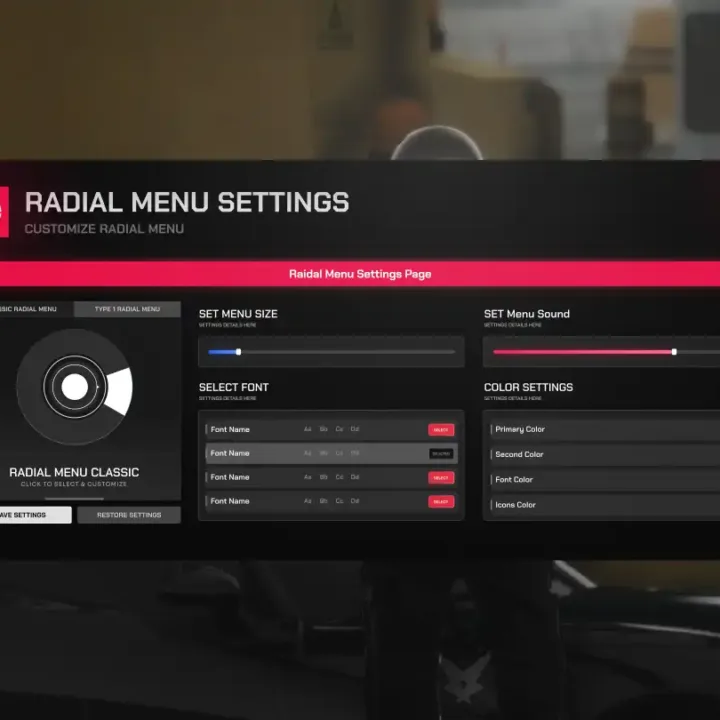
The Advanced Radial Menu System offers a highly customizable and interactive interface, giving players the ability to choose between two different radial menu styles. This system allows for color customization, font adjustments, and other style preferences, ensuring the menu fits the unique aesthetic of your server. Additionally, players have access to a configuration menu where they can personalize their radial menu experience.
Key Features:
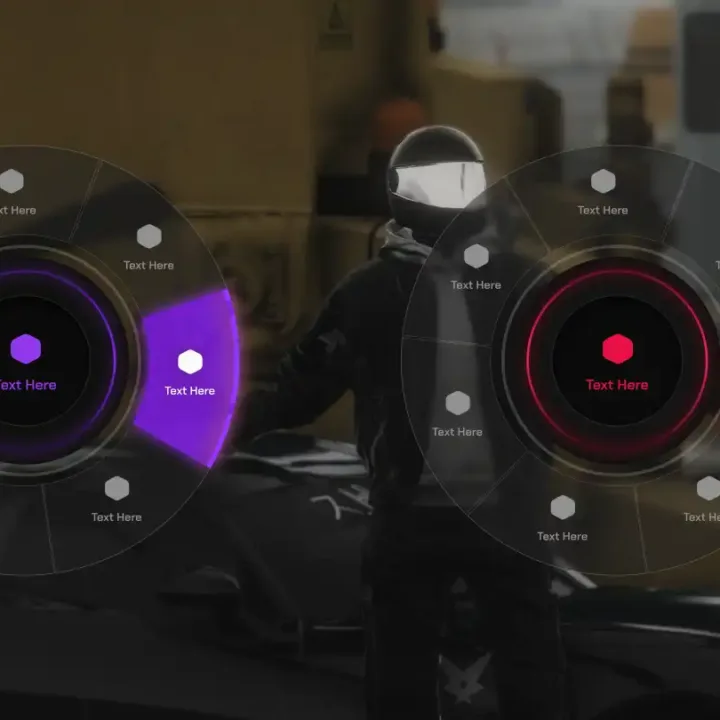
✅ Two Radial Menu Styles – Players can choose from two different styles of radial menus to suit their preferences
✅ Color Customization – Adjust the colors of the menu to match your server’s theme or personal style
✅ Font Customization – Change the fonts used in the radial menu for a unique and tailored look
✅ Player-Specific Data Storage – Player preferences are saved in SQL, allowing for persistent settings across sessions
✅ Configuration Menu – A dedicated menu where players can easily adjust and personalize their radial menu settings
✅ Easy Integration – Easily integrate this system into your server with minimal setup required
✅ Fully Interactive – Allow players to interact with the radial menu in a fun and engaging way
Need help?
If you have any other questions or issues related to this product, you can contact us.This script works well with our Qbcore Interaction Menu for enhanced roleplay communication
Visit if you’re looking for anything regarding this RedM script
Frequently Asked Questions
How do I install Qb Radials Menu – Qbcore Custom Radial Menu System on my FiveM server?
Download after purchase, extract to resources folder, add ensure qb-radials-menu to server.cfg, restart server.
Is Qb Radials Menu – Qbcore Custom Radial Menu System compatible with QBCore and ESX?
Yes, fully compatible with QBCore, ESX, QBox, and standalone FiveM servers.
Does Qb Radials Menu – Qbcore Custom Radial Menu System include free updates?
Yes, all scripts include lifetime free updates and dedicated support.
{“@context”:”https://schema.org”,”@type”:”FAQPage”,”mainEntity”:[{“@type”:”Question”,”name”:”How do I install Qb Radials Menu – Qbcore Custom Radial Menu System on my FiveM server?”,”acceptedAnswer”:{“@type”:”Answer”,”text”:”Download after purchase, extract to your resources folder, add ‘ensure qb-radials-menu’ to server.cfg, then restart your server.”}},{“@type”:”Question”,”name”:”Is Qb Radials Menu – Qbcore Custom Radial Menu System compatible with QBCore and ESX?”,”acceptedAnswer”:{“@type”:”Answer”,”text”:”Yes, Qb Radials Menu – Qbcore Custom Radial Menu System is fully compatible with QBCore, ESX, QBox, and Standalone FiveM servers.”}},{“@type”:”Question”,”name”:”Does Qb Radials Menu – Qbcore Custom Radial Menu System include free updates?”,”acceptedAnswer”:{“@type”:”Answer”,”text”:”Yes, all FiveM scripts from fivemscripts.shop include lifetime free updates and dedicated support.”}}]}
Reviews
There are no reviews yet.
Be the first to review “Qb Radials Menu – Qbcore Custom Radial Menu System” Cancel reply


 Qb Radials Menu – Qbcore...



Reviews
There are no reviews yet.