Qb radio – Customizable Radio UI, Jammer Mechanics
The Qb Radio script enhances in-game radio functionality with a new UI, customizable channels, and a radio battery system. It features submix effects, jammer mechanics, and overlay customization for players. Players can resize the UI, change channel names, and configure jammer ranges. Fully optimized with server-syncing for player display names and frequencies, this script adds an immersive and dynamic communication system to your FiveM server.
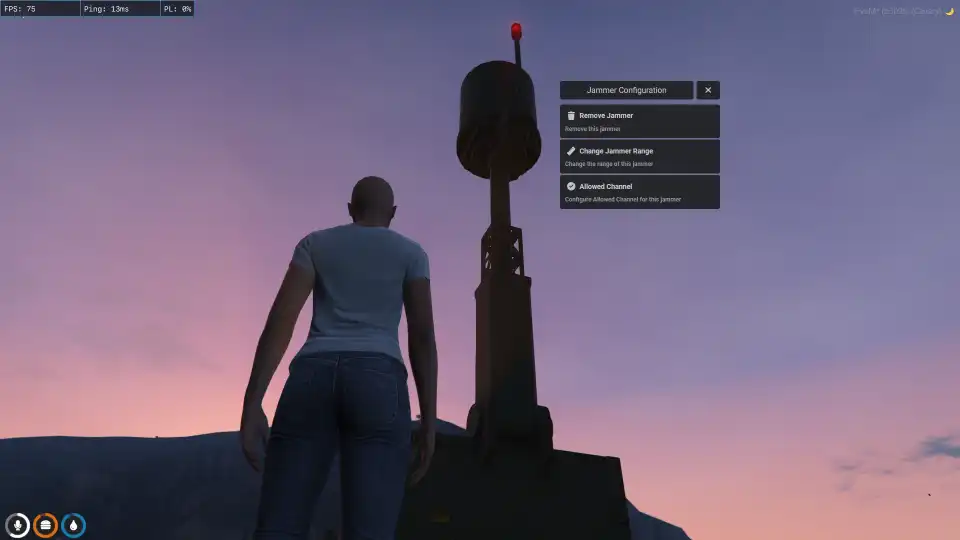
Qb radio is a powerful FiveM script that enables players to disrupt Qb radio communications for tactical roleplay scenarios. This customizable jammer allows users to configure range, permissions, and channels, making it ideal for law enforcement, criminal organizations, and military RP. Enhance immersion and strategy in your FiveM server with controlled radio interference.
Radio Features
New Radio UI
Submix Effect in radio channel
Customizable Restrict Channel with job/gang
0 resmon highly optimized
You can now Move, Resize Radio UI
You can now change the Radio Channel Display Name
New Configurable Radio Battery System
Inbuilt Notify System
Overlay Features
Players Can Configurable Position of Overlay
Players Can Configurable Size of Overlay Names
Players Can Configurable their Display Name in Overlay(server synced)
Jammer Features
Player can place the jammer and remove anywhere
Server can set default jammer locations
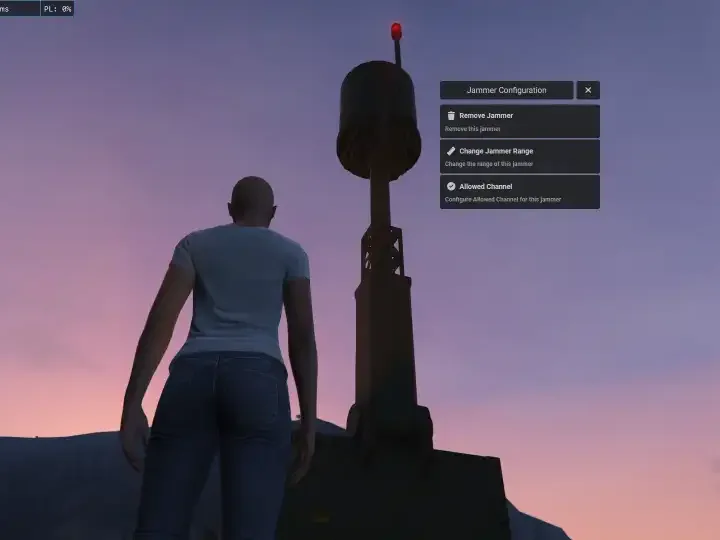
Player can Configurable Every Jammer Range
Jammer can be configured to allow specific frequencies to pass through
Need help?
If you have any other questions or issues related to this product, you can contact us. This script works well with our Qbcore megaphone Script for enhanced roleplay communication
Visit if you’re looking for anything regarding this RedM script
Frequently Asked Questions
How do I install Qb radio – Customizable Radio UI, Jammer Mechanics on my FiveM server?
Download after purchase, extract to resources folder, add ensure qb-radio to server.cfg, restart server.
Is Qb radio – Customizable Radio UI, Jammer Mechanics compatible with QBCore and ESX?
Yes, fully compatible with QBCore, ESX, QBox, and standalone FiveM servers.
Does Qb radio – Customizable Radio UI, Jammer Mechanics include free updates?
Yes, all scripts include lifetime free updates and dedicated support.
{“@context”:”https://schema.org”,”@type”:”FAQPage”,”mainEntity”:[{“@type”:”Question”,”name”:”How do I install Qb radio – Customizable Radio UI, Jammer Mechanics on my FiveM server?”,”acceptedAnswer”:{“@type”:”Answer”,”text”:”Download after purchase, extract to your resources folder, add ‘ensure qb-radio’ to server.cfg, then restart your server.”}},{“@type”:”Question”,”name”:”Is Qb radio – Customizable Radio UI, Jammer Mechanics compatible with QBCore and ESX?”,”acceptedAnswer”:{“@type”:”Answer”,”text”:”Yes, Qb radio – Customizable Radio UI, Jammer Mechanics is fully compatible with QBCore, ESX, QBox, and Standalone FiveM servers.”}},{“@type”:”Question”,”name”:”Does Qb radio – Customizable Radio UI, Jammer Mechanics include free updates?”,”acceptedAnswer”:{“@type”:”Answer”,”text”:”Yes, all FiveM scripts from fivemscripts.shop include lifetime free updates and dedicated support.”}}]}
Reviews
There are no reviews yet.
Be the first to review “Qb radio – Customizable Radio UI, Jammer Mechanics” Cancel reply



 Qb radio – Customizable Radio ...




Reviews
There are no reviews yet.