


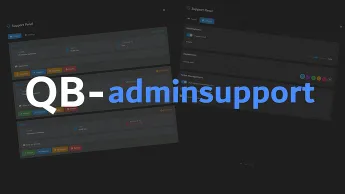
The QBCore Admin Support Script provides a professional support panel for handling player help requests and tickets. Admins can view, respond to, and resolve issues through an intuitive interface. With real-time updates and status management, this script enhances server moderation, improves user experience, and keeps community support organized.
Key Features
 Real-Time Support Ticket System
- Players can easily create support tickets via
/support [message] - Admins receive instant notifications and can manage tickets directly from an admin panel
- Optional Discord Webhook — automatically sends a message to a Discord channel when a new ticket is created
 Admin Panel
- Full ticket management: accept, unassign, teleport to players, delete tickets
- Personal settings: toggle notification sounds, visibility, and notification types
- Admin name visibility settings for notifications
 Smart Notifications
- Customizable notification messages
- Anti-spam system with configurable cooldown
- Intelligent handling to avoid duplicate notifications
 Multi-Language Support
- English and German included
- Easy to add new languages through the locale system
 Location Tools
- Teleport directly to the ticket creator
- Set waypoints for easier navigation
 Customizable Interface
- Easy configuration via
config.lua
 Optimized Performance
- Minimal resource usage
- Stable and efficient handling of large numbers of tickets
Customization
- Adjust notification styles and sounds
- Change admin panel behavior
- Configure cooldowns and visibility options
- Add or edit translations
Need help?
If you have any other questions or issues related to this product, you can contact us. This script works well with our Qbcore jail Script for enhanced roleplay communication
Visit if you’re looking for anything regarding this RedM script
Frequently Asked Questions
- How do I install QBCore Admin Support | Real-Time Ticket System & Admin Panel on my FiveM server?
- Download after purchase, extract to resources folder, add ensure qbcore-admin-support to server.cfg, restart server.
- Is QBCore Admin Support | Real-Time Ticket System & Admin Panel compatible with QBCore and ESX?
- Yes, fully compatible with QBCore, ESX, QBox, and standalone FiveM servers.
- Does QBCore Admin Support | Real-Time Ticket System & Admin Panel include free updates?
- Yes, all scripts include lifetime free updates and dedicated support.
{“@context”:”https://schema.org”,”@type”:”FAQPage”,”mainEntity”:[{“@type”:”Question”,”name”:”How do I install QBCore Admin Support | Real-Time Ticket System & Admin Panel on my FiveM server?”,”acceptedAnswer”:{“@type”:”Answer”,”text”:”Download after purchase, extract to your resources folder, add ‘ensure qbcore-admin-support’ to server.cfg, then restart your server.”}},{“@type”:”Question”,”name”:”Is QBCore Admin Support | Real-Time Ticket System & Admin Panel compatible with QBCore and ESX?”,”acceptedAnswer”:{“@type”:”Answer”,”text”:”Yes, QBCore Admin Support | Real-Time Ticket System & Admin Panel is fully compatible with QBCore, ESX, QBox, and Standalone FiveM servers.”}},{“@type”:”Question”,”name”:”Does QBCore Admin Support | Real-Time Ticket System & Admin Panel include free updates?”,”acceptedAnswer”:{“@type”:”Answer”,”text”:”Yes, all FiveM scripts from fivemscripts.shop include lifetime free updates and dedicated support.”}}]}
QBCore Admin Support | Real-T...
$13.90
Related products




You may add any content here from XStore Control Panel->Sales booster->Request a quote->Ask a question notification
At sem a enim eu vulputate nullam convallis Iaculis vitae odio faucibus adipiscing urna.
Reviews
There are no reviews yet.