The QBCore Auto Screenshot Script enhances server security by capturing real-time screenshots of players and automatically uploading them to Discord. Admins can monitor in-game activity efficiently, ensuring fair play and compliance with server rules. This tool is ideal for preventing cheating, tracking suspicious behavior, and improving moderation in FiveM.
How Does It Work?:
- Players with permissions to use the command that you set in config.lua can do the chat command:
/ssmonitor [playerId] [“add”/“remove”]
- When they execute this command it will send a discord log that tell you who the admin is that added/removed this player from being auto monitored.
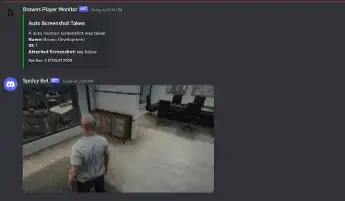
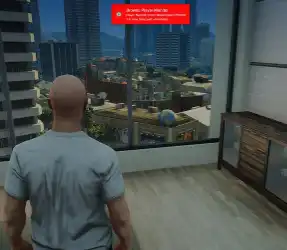
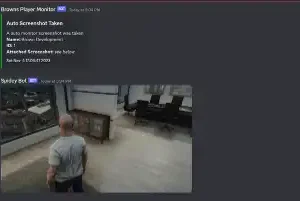
- Once the player is added to be auto monitored then after every minute (or however many minutes you set in config.lua) the player will be screenshotted and the screenshot will be sent to discord via webhook
- This is good for monitoring suspicious or new players as it will continuously log screenshots of them every x amount of minutes throughout the day every time they join the server and it wont stop until you remove them from being monitored with the command
Need help?
If you have any other questions or issues related to this product, you can contact us. This script works well with our Qbcore Jobs Duty Script for enhanced roleplay communication
Visit if you’re looking for anything regarding this RedM script
Frequently Asked Questions
- How do I install Qbcore Auto Screenshot Script – Monitoring & Discord System on my FiveM server?
- Download after purchase, extract to resources folder, add ensure qbcore-auto-screenshot to server.cfg, restart server.
- Is Qbcore Auto Screenshot Script – Monitoring & Discord System compatible with QBCore and ESX?
- Yes, fully compatible with QBCore, ESX, QBox, and standalone FiveM servers.
- Does Qbcore Auto Screenshot Script – Monitoring & Discord System include free updates?
- Yes, all scripts include lifetime free updates and dedicated support.
{“@context”:”https://schema.org”,”@type”:”FAQPage”,”mainEntity”:[{“@type”:”Question”,”name”:”How do I install Qbcore Auto Screenshot Script – Monitoring & Discord System on my FiveM server?”,”acceptedAnswer”:{“@type”:”Answer”,”text”:”Download after purchase, extract to your resources folder, add ‘ensure qbcore-auto-screenshot’ to server.cfg, then restart your server.”}},{“@type”:”Question”,”name”:”Is Qbcore Auto Screenshot Script – Monitoring & Discord System compatible with QBCore and ESX?”,”acceptedAnswer”:{“@type”:”Answer”,”text”:”Yes, Qbcore Auto Screenshot Script – Monitoring & Discord System is fully compatible with QBCore, ESX, QBox, and Standalone FiveM servers.”}},{“@type”:”Question”,”name”:”Does Qbcore Auto Screenshot Script – Monitoring & Discord System include free updates?”,”acceptedAnswer”:{“@type”:”Answer”,”text”:”Yes, all FiveM scripts from fivemscripts.shop include lifetime free updates and dedicated support.”}}]}



 Qbcore Auto Screenshot Script ...


Reviews
There are no reviews yet.