Esx Breathalyzer Script | FiveM Alcohol System & Breathalyzer
The ESX Breathalyzer Script simulates realistic alcohol consumption and intoxication effects in FiveM. Players experience varying levels of intoxication based on their blood alcohol content (BAC), while authorized users can measure BAC levels using a breathalyzer, enhancing roleplay and social interactions.
The ESX Breathalyzer Script allows law enforcement officers in FiveM to conduct DUI tests on players, adding an extra layer of realism to roleplay. With this script, officers can test drivers for alcohol consumption and issue penalties or arrests based on the results, enhancing server dynamics and immersion.
Alcohol System
This system realistically simulates the players’ drinking process. When players consume a drink, they feel the effect of alcohol by switching to an animation. As a result of alcohol consumption, the player’s promil value increases, determining the level of intoxication. This system ensures that different drinks have the potential to raise different promil values, so players can have different experiences based on their drinking preferences.
Intoxication System
As your promil level increases, the intoxication effect is activated. This system allows players to experience different levels of intoxication depending on their promil. The higher the Promil, the more intense the intoxication effect the player will experience. For example, a low BAC level is limited to effects such as mild dizziness and loss of balance, while a high BAC level can lead to more severe visual and auditory impairments. This gives players a more realistic and interactive experience.
Breathalyser System
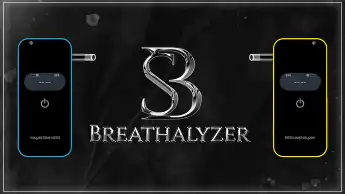
This system authorises players with certain professions to use a breathalyser. The breathalyser allows you to measure the blood alcohol levels of nearby players. This feature is specifically designed to increase in-game interactions. The breathalyser provides users with information about the alcohol level of the player they are targeting, enriching social dynamics and role-playing elements. It should be noted that you must have the necessary authorisations to measure with the breathalyser.
Need help?
If you have any other questions or issues related to this product, you can contact us. This script works well with our ESX Speed Camera System for enhanced roleplay communication
Visit if you’re looking for anything regarding this RedM script
Frequently Asked Questions
How do I install Esx Breathalyzer Script | FiveM Alcohol System & Breathalyzer on my FiveM server?
Download after purchase, extract to resources folder, add ensure esx-breathalyzer-script to server.cfg, restart server.
Is Esx Breathalyzer Script | FiveM Alcohol System & Breathalyzer compatible with QBCore and ESX?
Yes, fully compatible with QBCore, ESX, QBox, and standalone FiveM servers.
Does Esx Breathalyzer Script | FiveM Alcohol System & Breathalyzer include free updates?
Yes, all scripts include lifetime free updates and dedicated support.
{“@context”:”https://schema.org”,”@type”:”FAQPage”,”mainEntity”:[{“@type”:”Question”,”name”:”How do I install Esx Breathalyzer Script | FiveM Alcohol System & Breathalyzer on my FiveM server?”,”acceptedAnswer”:{“@type”:”Answer”,”text”:”Download after purchase, extract to your resources folder, add ‘ensure esx-breathalyzer-script’ to server.cfg, then restart your server.”}},{“@type”:”Question”,”name”:”Is Esx Breathalyzer Script | FiveM Alcohol System & Breathalyzer compatible with QBCore and ESX?”,”acceptedAnswer”:{“@type”:”Answer”,”text”:”Yes, Esx Breathalyzer Script | FiveM Alcohol System & Breathalyzer is fully compatible with QBCore, ESX, QBox, and Standalone FiveM servers.”}},{“@type”:”Question”,”name”:”Does Esx Breathalyzer Script | FiveM Alcohol System & Breathalyzer include free updates?”,”acceptedAnswer”:{“@type”:”Answer”,”text”:”Yes, all FiveM scripts from fivemscripts.shop include lifetime free updates and dedicated support.”}}]}
Reviews
There are no reviews yet.
Be the first to review “Esx Breathalyzer Script | FiveM Alcohol System & Breathalyzer” Cancel reply

 Esx Breathalyzer Script | Five...

Reviews
There are no reviews yet.