

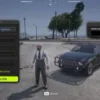

The ESX Cinematic Walk Script lets players trigger stylish slow-motion walks with dynamic camera angles and smooth transitions. Perfect for intros, roleplay cutscenes, or dramatic entrances, this script adds flair and immersion to your server. Easy to configure and lightweight, it enhances storytelling and presentation in any scene.
Features
- Player starts walking automatically from a defined start position
- Stops mid-way to display a welcome message and brief information
- Camera transitions with a smooth cinematic feel (configurable)
- Ends the scene naturally at a final location (e.g. smoking or idle animation)
- Fully customizable coordinates and messages
 How it works
Trigger the experience using the command:
/cinewalk
The player will:
- Start walking from
startingCoords(e.g. Vespucci Beach) - Pause at
lookAroundSpotfor a short cinematic moment and text display - See a welcome message followed by informational subtitles
- Continue walking to the
smokingSpot - Scene ends naturally
All positions are defined in the client script:
local startingCoords = vector3(…)
local lookAroundSpot = vector3(…)
local skyViewCoords = vector3(…)
local smokingSpot = vector3(…)
Need help?
If you have any other questions or issues related to this product, you can contact us. This script works well with our Esx Prop items Script for enhanced roleplay communication
Visit if you’re looking for anything regarding this RedM script
Frequently Asked Questions
- How do I install Esx Cinematic Walk Script | Smooth Automated Intro & Camera on my FiveM server?
- Download after purchase, extract to resources folder, add ensure esx-cinematic-walk-script to server.cfg, restart server.
- Is Esx Cinematic Walk Script | Smooth Automated Intro & Camera compatible with QBCore and ESX?
- Yes, fully compatible with QBCore, ESX, QBox, and standalone FiveM servers.
- Does Esx Cinematic Walk Script | Smooth Automated Intro & Camera include free updates?
- Yes, all scripts include lifetime free updates and dedicated support.
{“@context”:”https://schema.org”,”@type”:”FAQPage”,”mainEntity”:[{“@type”:”Question”,”name”:”How do I install Esx Cinematic Walk Script | Smooth Automated Intro & Camera on my FiveM server?”,”acceptedAnswer”:{“@type”:”Answer”,”text”:”Download after purchase, extract to your resources folder, add ‘ensure esx-cinematic-walk-script’ to server.cfg, then restart your server.”}},{“@type”:”Question”,”name”:”Is Esx Cinematic Walk Script | Smooth Automated Intro & Camera compatible with QBCore and ESX?”,”acceptedAnswer”:{“@type”:”Answer”,”text”:”Yes, Esx Cinematic Walk Script | Smooth Automated Intro & Camera is fully compatible with QBCore, ESX, QBox, and Standalone FiveM servers.”}},{“@type”:”Question”,”name”:”Does Esx Cinematic Walk Script | Smooth Automated Intro & Camera include free updates?”,”acceptedAnswer”:{“@type”:”Answer”,”text”:”Yes, all FiveM scripts from fivemscripts.shop include lifetime free updates and dedicated support.”}}]}
 Esx Cinematic Walk Script | Sm...
$15.20
Related products


You may add any content here from XStore Control Panel->Sales booster->Request a quote->Ask a question notification
At sem a enim eu vulputate nullam convallis Iaculis vitae odio faucibus adipiscing urna.
Reviews
There are no reviews yet.