


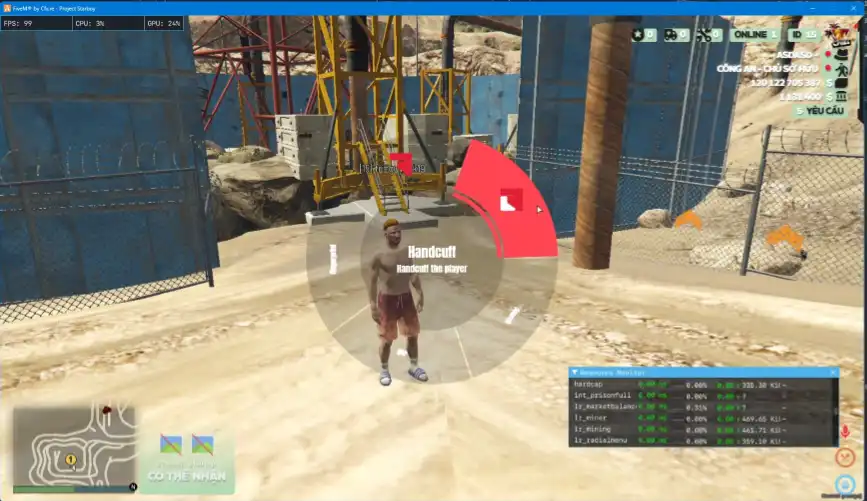
The Qb Radial Menu enhances FiveM roleplay by providing an intuitive, customizable interaction wheel for quick access to essential actions. Ideal for police, EMS, and general roleplay commands, it streamlines in-game functions, improving efficiency and immersion. Fully integrated with Qbcore, it ensures a seamless and user-friendly gameplay experience.
Features 
- Supports all frameworks and can be configured for any framework
- You can create unlimited menus and sub-menus
- Supports unlimited special work/job menus
- Exports to add new options to the radial menu from other resources and remove them as needed
- Supports Events(Client+Server) with Parameters and Commands in the menu
- Menu can be configured as toggle or non-toggle
- You can configure the menu to be used while walking
- Keybind mapping support
- Toggleable Bluer menu
- Open HTML/CSS to edit the UI
- Easy to use with other scripts
- Highly configurable configuration
- Highly optimized for performance at all times: 0.0ms
- For more features, check the configuration and watch the preview
Need help?
If you have any other questions or issues related to this product, you can contact us. This script works well with our Qbcore Jobs Duty Script for enhanced roleplay communication
Visit if you’re looking for anything regarding this RedM script
Frequently Asked Questions
- How do I install Qb Radial Menu – Radial Menu with Unlimited Options, Job Menus on my FiveM server?
- Download after purchase, extract to resources folder, add ensure qb-radial-menu to server.cfg, restart server.
- Is Qb Radial Menu – Radial Menu with Unlimited Options, Job Menus compatible with QBCore and ESX?
- Yes, fully compatible with QBCore, ESX, QBox, and standalone FiveM servers.
- Does Qb Radial Menu – Radial Menu with Unlimited Options, Job Menus include free updates?
- Yes, all scripts include lifetime free updates and dedicated support.
{“@context”:”https://schema.org”,”@type”:”FAQPage”,”mainEntity”:[{“@type”:”Question”,”name”:”How do I install Qb Radial Menu – Radial Menu with Unlimited Options, Job Menus on my FiveM server?”,”acceptedAnswer”:{“@type”:”Answer”,”text”:”Download after purchase, extract to your resources folder, add ‘ensure qb-radial-menu’ to server.cfg, then restart your server.”}},{“@type”:”Question”,”name”:”Is Qb Radial Menu – Radial Menu with Unlimited Options, Job Menus compatible with QBCore and ESX?”,”acceptedAnswer”:{“@type”:”Answer”,”text”:”Yes, Qb Radial Menu – Radial Menu with Unlimited Options, Job Menus is fully compatible with QBCore, ESX, QBox, and Standalone FiveM servers.”}},{“@type”:”Question”,”name”:”Does Qb Radial Menu – Radial Menu with Unlimited Options, Job Menus include free updates?”,”acceptedAnswer”:{“@type”:”Answer”,”text”:”Yes, all FiveM scripts from fivemscripts.shop include lifetime free updates and dedicated support.”}}]}
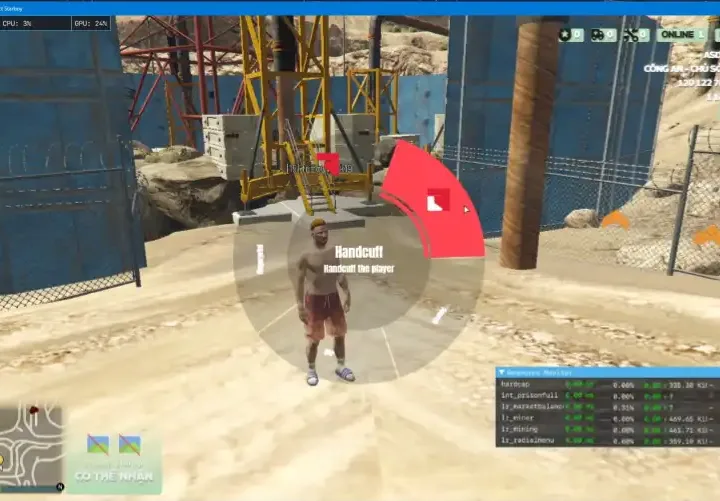 Qb Radial Menu – Radial...
$14.90
Related products




You may add any content here from XStore Control Panel->Sales booster->Request a quote->Ask a question notification
At sem a enim eu vulputate nullam convallis Iaculis vitae odio faucibus adipiscing urna.
Reviews
There are no reviews yet.