


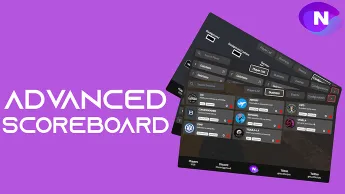

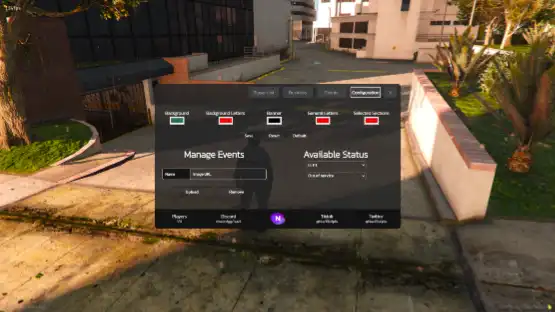


The Qbcore Advanced Scoreboard Script brings a modern, feature-rich scoreboard to FiveM, displaying player details, jobs, ping, and server activity in real-time. With a user-friendly interface and customization options, this script improves server organization, making it easier for players and admins to track player information efficiently.
Qbcore Advanced Scoreboard Script to add to your server new functionalities so players enjoy their time in it, this scoreboard revolutionizes all scoreboards in the market, because is not only used for listing all the players and jobs, it can do so much more.
Features
- Nice UI List Design
We have a very organized player list, with both ID and NAME identifiers. In the select menu, just clic into Player List and you will be able to enter your users list. - Banner
We have a nice banner too, where you can put your Logo, Social Medias, etc… Also they are fully customizable, you can change the name of the social media, links, etc… - Advanced Job Listing
Our scoreboard has the most advanced system of job listing, allowing you to view a list of all the business of the city, with custom logos, custom status, custom description, names and more! - Event Announcer Section
This section has a lot of utilities, it can be used as an Rule Listing section, Event Listing section, or maybe an updates section, this choice is up to you
- Settings
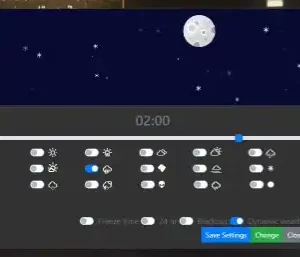
Inside the scoreboard, there’s a configuration section, where you can change the design of our scoreboard, change the status of the business that you are working, and even admins can post images to the events sections from the settings section. - Custom RGB Color Picker
We bring you a good-looking scoreboard, with grey and white colors to be unnoticed. You don’t like it? There’s no problem, in our scoreboard each player can customize his scoreboard as their liking, so it fits to all kinds of user.
Need help?
If you have any other questions or issues related to this product, you can contact us. This script works well with our Qbcore Bank Audit System for enhanced roleplay communication
Visit if you’re looking for anything regarding this RedM script
Frequently Asked Questions
- How do I install Qbcore Advanced Scoreboard Script – Player & Job Listing on my FiveM server?
- Download after purchase, extract to resources folder, add ensure qbcore-advanced-scoreboard-script to server.cfg, restart server.
- Is Qbcore Advanced Scoreboard Script – Player & Job Listing compatible with QBCore and ESX?
- Yes, fully compatible with QBCore, ESX, QBox, and standalone FiveM servers.
- Does Qbcore Advanced Scoreboard Script – Player & Job Listing include free updates?
- Yes, all scripts include lifetime free updates and dedicated support.
{“@context”:”https://schema.org”,”@type”:”FAQPage”,”mainEntity”:[{“@type”:”Question”,”name”:”How do I install Qbcore Advanced Scoreboard Script – Player & Job Listing on my FiveM server?”,”acceptedAnswer”:{“@type”:”Answer”,”text”:”Download after purchase, extract to your resources folder, add ‘ensure qbcore-advanced-scoreboard-script’ to server.cfg, then restart your server.”}},{“@type”:”Question”,”name”:”Is Qbcore Advanced Scoreboard Script – Player & Job Listing compatible with QBCore and ESX?”,”acceptedAnswer”:{“@type”:”Answer”,”text”:”Yes, Qbcore Advanced Scoreboard Script – Player & Job Listing is fully compatible with QBCore, ESX, QBox, and Standalone FiveM servers.”}},{“@type”:”Question”,”name”:”Does Qbcore Advanced Scoreboard Script – Player & Job Listing include free updates?”,”acceptedAnswer”:{“@type”:”Answer”,”text”:”Yes, all FiveM scripts from fivemscripts.shop include lifetime free updates and dedicated support.”}}]}
 Qbcore Advanced Scoreboard Scr...
$15.20
Related products



You may add any content here from XStore Control Panel->Sales booster->Request a quote->Ask a question notification
At sem a enim eu vulputate nullam convallis Iaculis vitae odio faucibus adipiscing urna.
Reviews
There are no reviews yet.