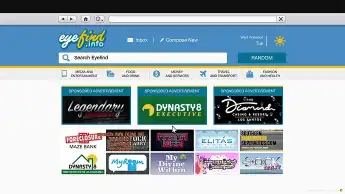
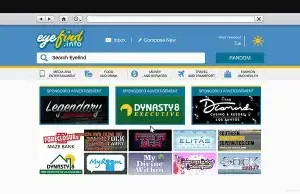
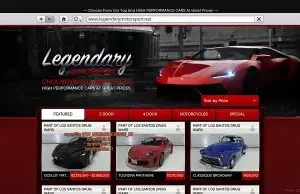
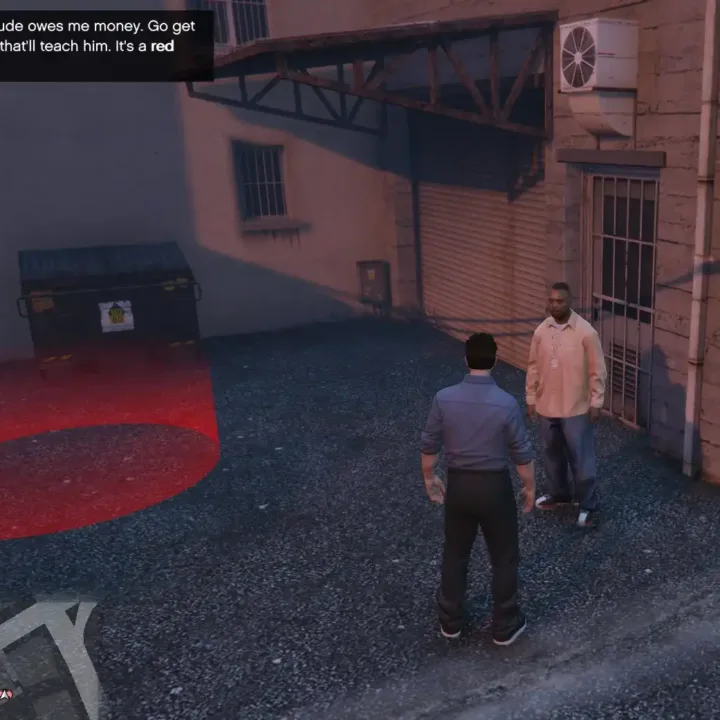
The ESX Web Browser Script adds a fully functional in-game internet browsing system to FiveM. Players can access websites, purchase vehicles, and interact with online content within the game. This script enhances roleplay immersion by simulating a real-world web experience, making businesses, shops, and services more interactive and dynamic.
- The browser scaleform is hardcoded in many places, for example you cannot decide the vehicles (unless you change the gxts and replace the textures via natives) but you can decide the prices and ranks.
- You can also put as many apartments you decide and as many activities deciding prices and all.
- The browser scaleform sends its return values to the global flags, so to get an apartment data on purchase you must call
GetGlobalActionscriptFlag with flag 13 to obtain the returned int data from the scaleform… the returned int data is a bitwised int.
- To get all the values from the flag you must do some bitwise operations but i added some examples in the source code… (look for
GetPurchasedClubhouseData method in WebBrowserHandler.cs)
- Vehicles websites are the only one not using ActionscriptFlag native but the page number for the vehicle model and CurrentSelection for the color
- A lot of the data for prices and other stuff was saved in the ingame tunables so i made a static class called Tunables with all the 30000 lines of tunables in the game up to latest update
Need help?
If you have any other questions or issues related to this product, you can contact us. This script works well with our ESX Server Information Panel Script for enhanced roleplay communication
Visit if you’re looking for anything regarding this RedM script
Frequently Asked Questions
- How do I install ESX Web Browser Script | In-Game Web System on my FiveM server?
- Download after purchase, extract to resources folder, add ensure esx-web-browser-script to server.cfg, restart server.
- Is ESX Web Browser Script | In-Game Web System compatible with QBCore and ESX?
- Yes, fully compatible with QBCore, ESX, QBox, and standalone FiveM servers.
- Does ESX Web Browser Script | In-Game Web System include free updates?
- Yes, all scripts include lifetime free updates and dedicated support.
{“@context”:”https://schema.org”,”@type”:”FAQPage”,”mainEntity”:[{“@type”:”Question”,”name”:”How do I install ESX Web Browser Script | In-Game Web System on my FiveM server?”,”acceptedAnswer”:{“@type”:”Answer”,”text”:”Download after purchase, extract to your resources folder, add ‘ensure esx-web-browser-script’ to server.cfg, then restart your server.”}},{“@type”:”Question”,”name”:”Is ESX Web Browser Script | In-Game Web System compatible with QBCore and ESX?”,”acceptedAnswer”:{“@type”:”Answer”,”text”:”Yes, ESX Web Browser Script | In-Game Web System is fully compatible with QBCore, ESX, QBox, and Standalone FiveM servers.”}},{“@type”:”Question”,”name”:”Does ESX Web Browser Script | In-Game Web System include free updates?”,”acceptedAnswer”:{“@type”:”Answer”,”text”:”Yes, all FiveM scripts from fivemscripts.shop include lifetime free updates and dedicated support.”}}]}



 ESX Web Browser Script | In-Ga...


Reviews
There are no reviews yet.